Your customers are not only on your website. They message your Facebook Page, your Zalo Official Account, your WhatsApp number. An AI assistant that lives only on the website misses most of those conversations. CSM Bridge's ability to connect AI Agents brings the assistant to the channels customers actually use, and lets it work with the systems your business already runs.
All screenshots were taken from the AI Agent console with a test account. Page IDs and secrets have been hidden or blurred.
Connect AI Agents to messaging channels
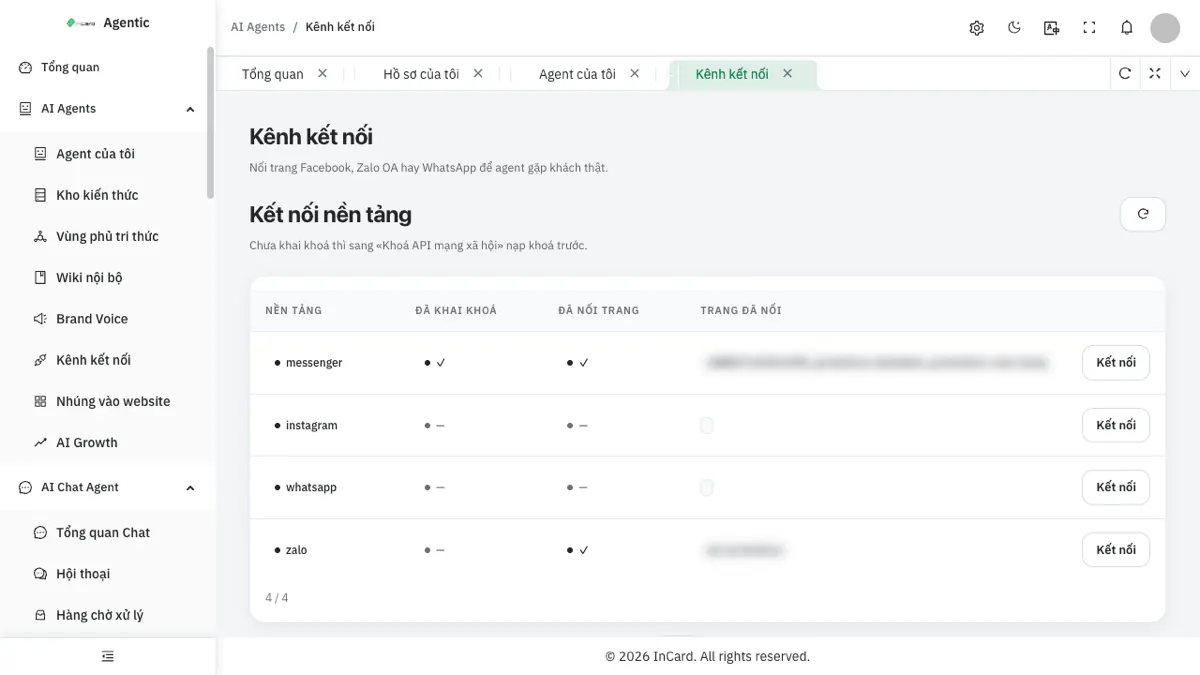
The Connected Channels screen lists each platform: Messenger, Instagram, WhatsApp and Zalo. Each row shows whether keys are set, whether a page is linked and which page it is. The "Connect" button at the end of the row links another page or Official Account.
One point to be clear about: Instagram is currently used for publishing posts only and does not receive incoming messages. Messenger, WhatsApp and Zalo OA are the conversation channels.
Which channels each assistant uses
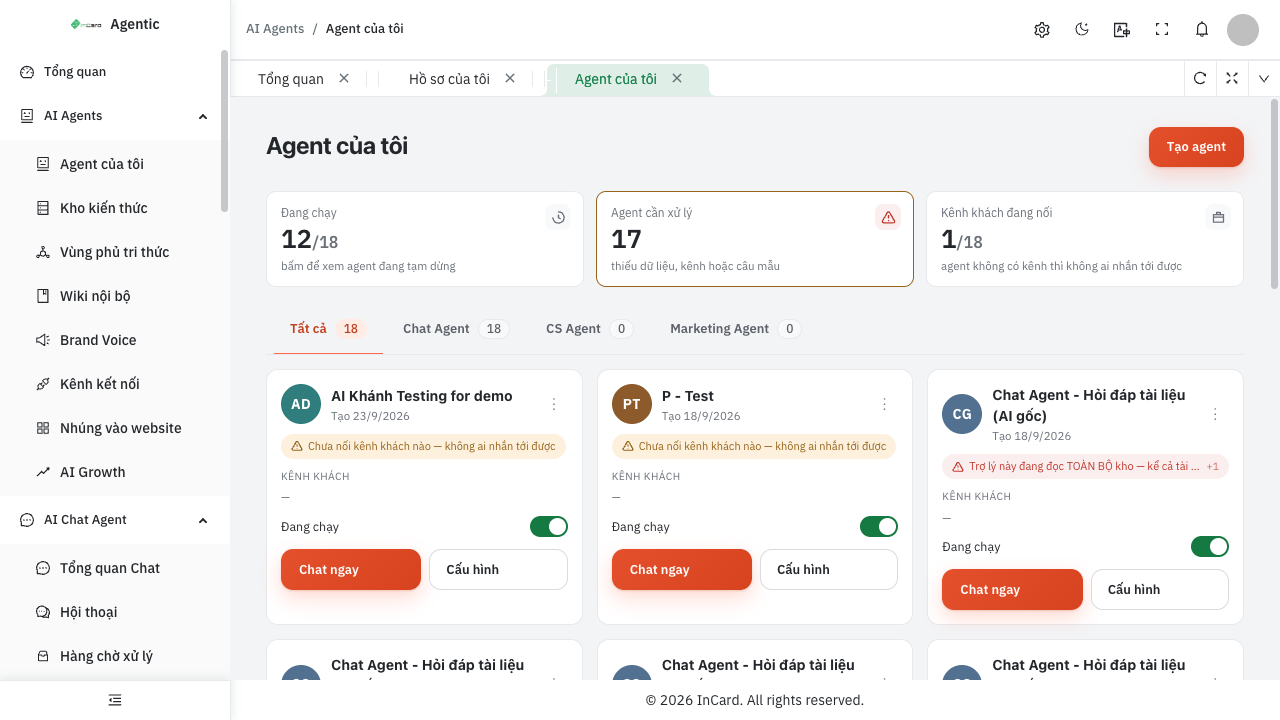
On the "My Agents" screen, every assistant shows the customer channels it is connected to. An assistant with no channel carries a warning — "No customer channel connected — nobody can reach it" — so you never have to guess why it is silent.
Use your own app keys
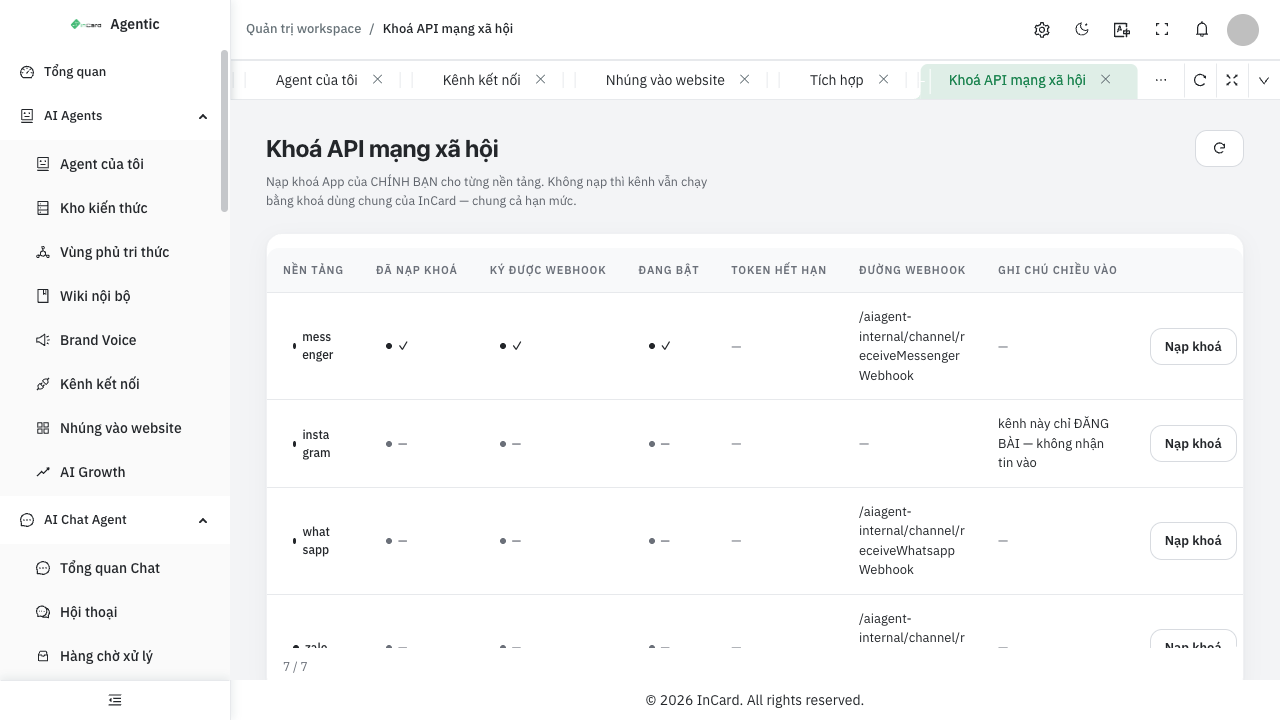
The Social API Keys screen lets you load your own app keys for each platform. Without them, the channel still runs on the platform's shared keys — and shares their rate limits. Larger businesses should use their own keys to control quotas and ownership.
Each row shows: key loaded, webhook signature verified, enabled, token expiry date and the webhook path to register with Meta or Zalo. Signature verification means incoming messages are checked, blocking third parties from injecting forged messages.
Connectors: letting AI Agents work with other systems
Answering messages is only half the job. The other half is letting the assistant fetch data and write results into the software you already use. That goes through a catalogue of connectors — outbound destinations registered in advance by an administrator.
- Administrators register the destination: host, secret and method, GET or POST.
- Assistant builders only pick a connector by name and never type a URL — avoiding mistakes that point at internal addresses.
- Secrets are never shown again on screen; only "set" or "not set" is displayed.
Three roles of a connector
Each connector has exactly one role: fetch (results feed the answer), reply to a channel, or action that writes to a third-party system, such as creating an order. The action role must pass a human approval gate: every irreversible operation needs a person to confirm it.
Inbound webhooks: other systems call your AI Agent
In the other direction, your software can call in to trigger an assistant — for example on a new order or a status change. Every call must carry an HMAC signature made with that webhook's own secret. The system accepts it, queues it and replies immediately, so the caller never waits for the AI to finish. An idempotency key ensures an event sent several times is processed only once.
Best suited to
- Businesses selling through Facebook Pages, Zalo OA or WhatsApp.
- Organisations with existing management software that want AI to read and write data under control.
- Engineering teams needing safe integration: signed, gated, with no leaked secrets.
See how the assistant appears on a website in the 24/7 AI website chat assistant, and where leads from every channel are recorded in real estate CRM.
Talk to us
Want to see it running on your own business data? Get in touch via the Contact page or ask the chat assistant in the corner of the screen. Explore more in the AI Agent Solutions section.